



 Daily Bazar
  Electronics
  Mother, Baby & Toys
  Beauty
  Sports
  Automotive
  Stationery, Books & Music
  Special Weekly Offer
  Global Finds
  Quick Commerce
 _20.png) Fashion Luxe
Fashion Luxe  Sports Shoes
  Fashion
 _20.jpeg) Home
Home  Garden & Pet Care
  Grocery
  Daily Bazar
  Electronics
  Mother, Baby & Toys
  Beauty
  Sports
  Automotive
  Stationery, Books & Music
  Special Weekly Offer
  Global Finds
  Quick Commerce
 _20.png) Fashion Luxe
Fashion Luxe  Sports Shoes
  Fashion
 _20.jpeg) Home
Home  Garden & Pet Care
  Grocery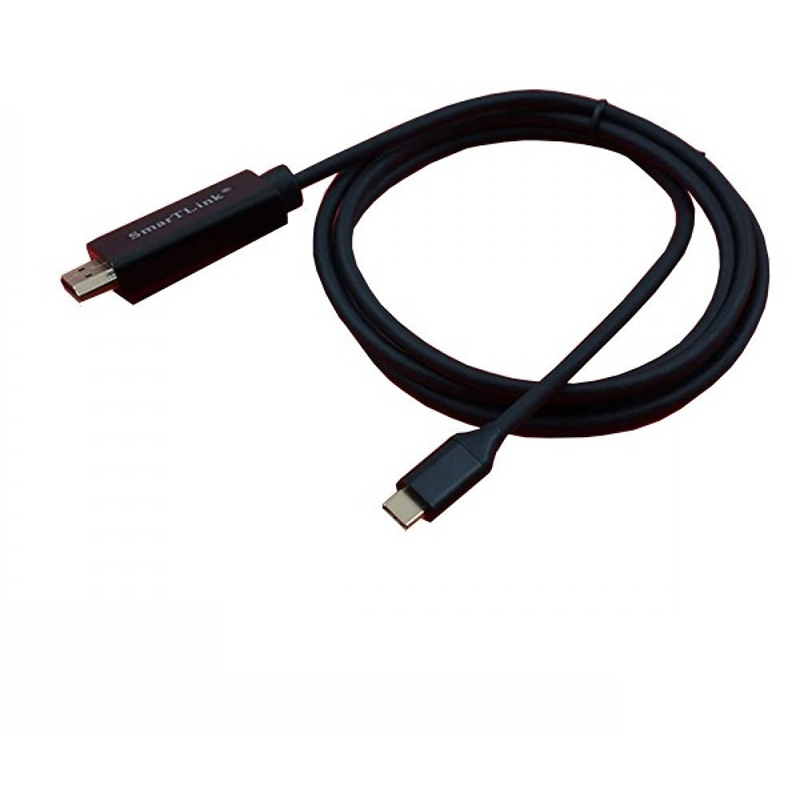
USB-C to HDMI cable. This type of cable allows you to connect devices with a USB-C port (like laptops, tablets, and some smartphones) to displays with an HDMI input, such as monitors, projectors, or TVs.
Here's some information about this product:
Functionality: It enables video and audio output from a USB-C device to an HDMI-enabled display, supporting resolutions up to 4K.
Compatibility: These cables are widely compatible with devices featuring USB-C ports that support video output, including various models of MacBook, Surface Go, iMac, Samsung Galaxy devices, Dell XPS, and more.
Features: Many models support features like 4K resolution at 60Hz, HDR10+, and both mirror and extended display modes.
Variations: You can find these cables in different lengths and from various brands, with some offering additional features like power delivery through the USB-C connection.
Purpose: They are useful for presentations, expanding your workspace, streaming content, or gaming on a larger screen.
USB-C to HDMI cable. This type of cable allows you to connect devices with a USB-C port (like laptops, tablets, and some smartphones) to displays with an HDMI input, such as monitors, projectors, or TVs.
Here's some information about this product:
Functionality: It enables video and audio output from a USB-C device to an HDMI-enabled display, supporting resolutions up to 4K.
Compatibility: These cables are widely compatible with devices featuring USB-C ports that support video output, including various models of MacBook, Surface Go, iMac, Samsung Galaxy devices, Dell XPS, and more.
Features: Many models support features like 4K resolution at 60Hz, HDR10+, and both mirror and extended display modes.
Variations: You can find these cables in different lengths and from various brands, with some offering additional features like power delivery through the USB-C connection.
Purpose: They are useful for presentations, expanding your workspace, streaming content, or gaming on a larger screen.

Login to ask a question
