


 Daily Bazar
  Electronics
  Mother, Baby & Toys
  Beauty
  Sports
  Automotive
  Stationery, Books & Music
  Special Weekly Offer
  Global Finds
  Quick Commerce
 _20.png) Fashion Luxe
Fashion Luxe  Sports Shoes
  Fashion
 _20.jpeg) Home
Home  Garden & Pet Care
  Grocery
  Daily Bazar
  Electronics
  Mother, Baby & Toys
  Beauty
  Sports
  Automotive
  Stationery, Books & Music
  Special Weekly Offer
  Global Finds
  Quick Commerce
 _20.png) Fashion Luxe
Fashion Luxe  Sports Shoes
  Fashion
 _20.jpeg) Home
Home  Garden & Pet Care
  Grocery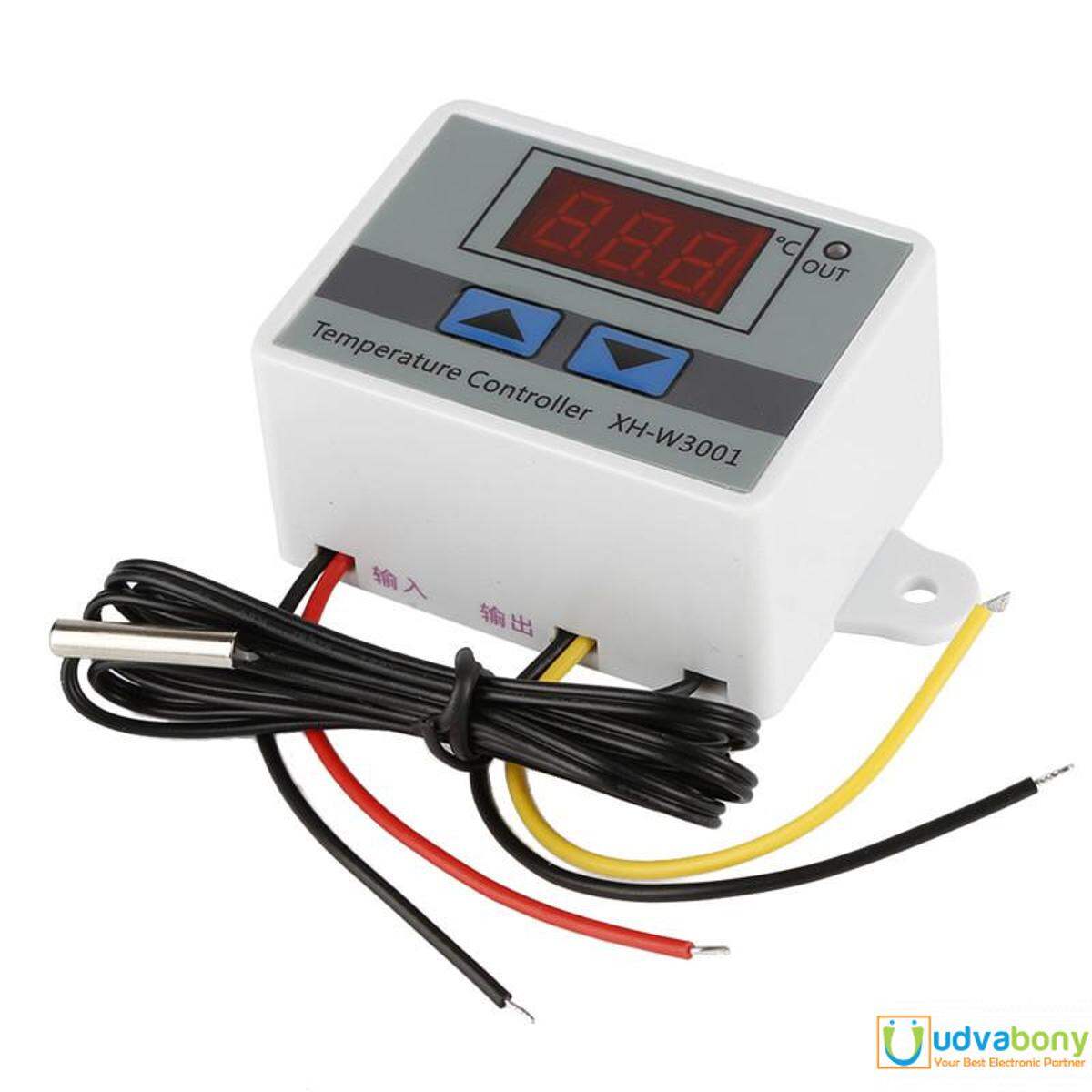
Descriptions: XH-W3001 DC12V 120W Digital Temperature Controller Microcomputer Thermostat Switch
This delicate digital display temperature controller can set start and stop temperature. The display and control temperature can be set to 0.1℃ with wide temperature control range from -50℃ to 110℃. It is convenient to install and wiring is simple. Widely used in the hatching area, equipment case, air conditioning system, temperature control protection and other fields.
- ABS flame retardant housing is avirulent and environmental protective.
- Wide temperature control range from -50℃ to 110℃.
- High temperature control precision of 0.1℃.Probe used stainless steel material, waterproof and does not rust easily.
- LED display shows the results clearly.Can be installed directly or embedded in industrial control equipment panel, convenient and quick.
- 1m waterproof probe is equiped for convenient usage.Widely used in the hatching area, equipment case, air conditioning system, temperature control protection and other fields.
- Warranty not applicable for this product
Specifications
- A practical thermostat with a simple wall mounting, panel or DIN rail.
- Quality design, LED display and thermometer with waterproof case.
- Model: XH-W3001
- The measurement of the current temperature
- Adjustable minimum and maximum
- Easily adjustable
- Easy to assemble
Features
Use guidance:
Set the start/stop temperature: Press the up/down button once to display the start temperature. Press and hold the up button for about 3 seconds, the start temperature number will flash, and the desired temperature value can be set by the up and down keys.
How to use:
- Press “UP” button show the starting temperature;
- Long press “UP” button until the temperature display flashes, press the “UP” or “Down” button to set the start temperature value;
- Press “Down” button show the stop temperature;
- Long press “Down” button until the temperature display flashes, press the “UP” or “Down” button to set the stop temperature value.
Documents:
- 1496403726.pdf
- http://navody.arduino-shop.cz/technikuv-blog/porovnani-termostatu.html
Package includes:
- 1Pc x Xh-W3001 DC 12V Digital Temperature Controller Microcomputer Thermostat Switch

Customer Questions and answers :
Login to ask a question
